W&H 本社




-
新しいオートクレーブLara
将来に備えて見える部分は目を見張るほどすばらしく
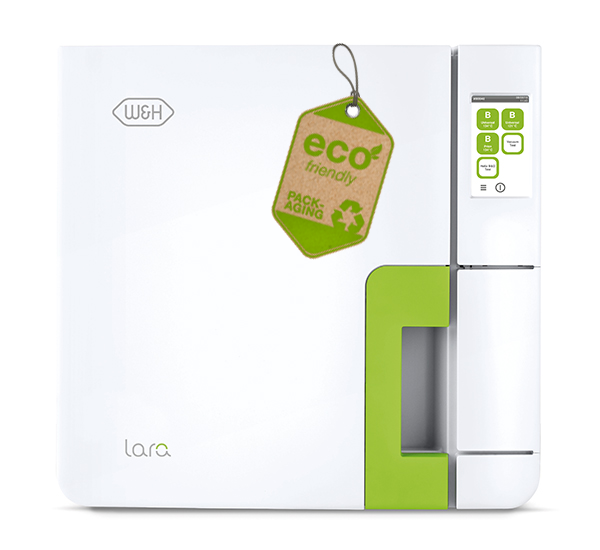
デザイン愛好者でなくても、新しいオートクレーブLaraの良さはお分かりいただけるでしょう。なめらかな表面はさわり心地がよく、インスツルメントの出し入れも楽ちんな上、フラットなカラースクリーンディスプレイで、わかりやすいメニュー構成に従って容易に操作することができます。
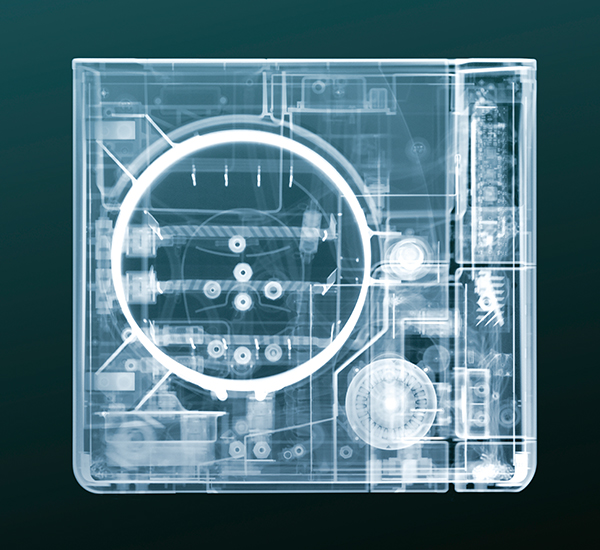
見えない内部は息を吞むほどすばらしい
W&H社の新しいオートクレーブLaraを細部まで知り尽くしてください。これほど多くの部品が完璧に配置され、滅菌工程を簡略化しつつも網羅的に記録を作成するので、心からご満足いただけるでしょう。独自のアップグレード機能により、お使いになるLaraをご自分のニーズに合わすことができ、また規制当局の要求内容に合わせてカスタマイズすることもできます。すばらしい理由
- 同等区分では最速のB滅菌サイクル
- Activation Codeによる独自のアップグレード機能
- カラーのタッチスクリーンディスプレイでらくらく操作
- 大容量USBでサイクルを自動記録
- 高性能のラベル・サイクルレポート用プリンター(オプション)
- 機能的なエルゴノミックデザイン
- 設置にも操作にも理想的な寸法
-
新しい環境にやさしい梱包材
再利用・再リサイクル可能な環境にやさしい新しい製品梱包です。プラスチック材は最小限に削減しました。重量の99%は段ボールや生分解性素材でできています。
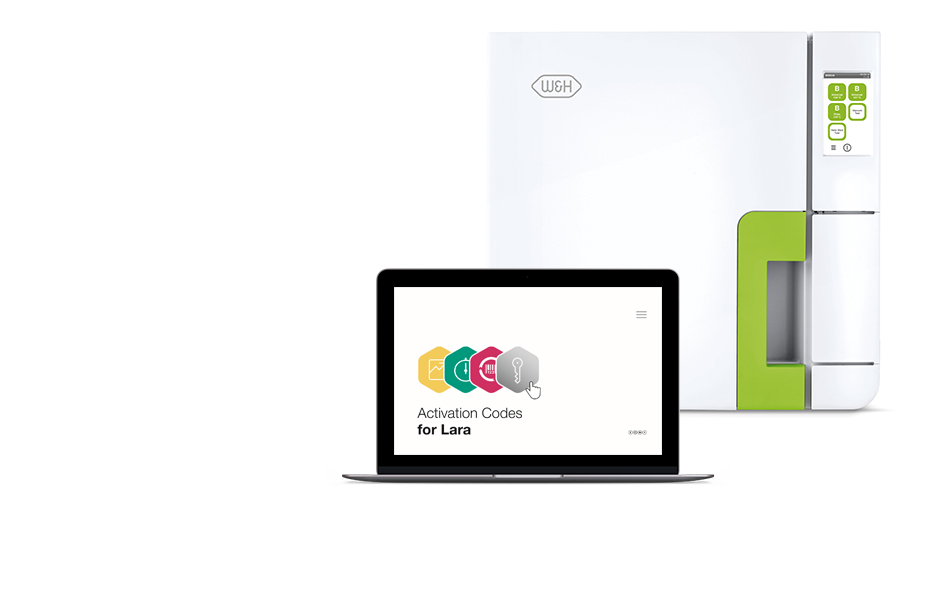
6つのステップで、カスタマイズされた滅菌器が実現します:
- アクティベーションコードを、最寄りの認定販売店からご購入ください。
- 関連するログインコードを受け取り、
- このコードと、ご使用の滅菌器のシリアル番号とモデル名を入力してください。
- あなた専用の、安全なアクティベーションコードが生成されます。
- ご使用の滅菌器のメニュー画面から、このコードを入力してください。
- この機能が利用可能となります。
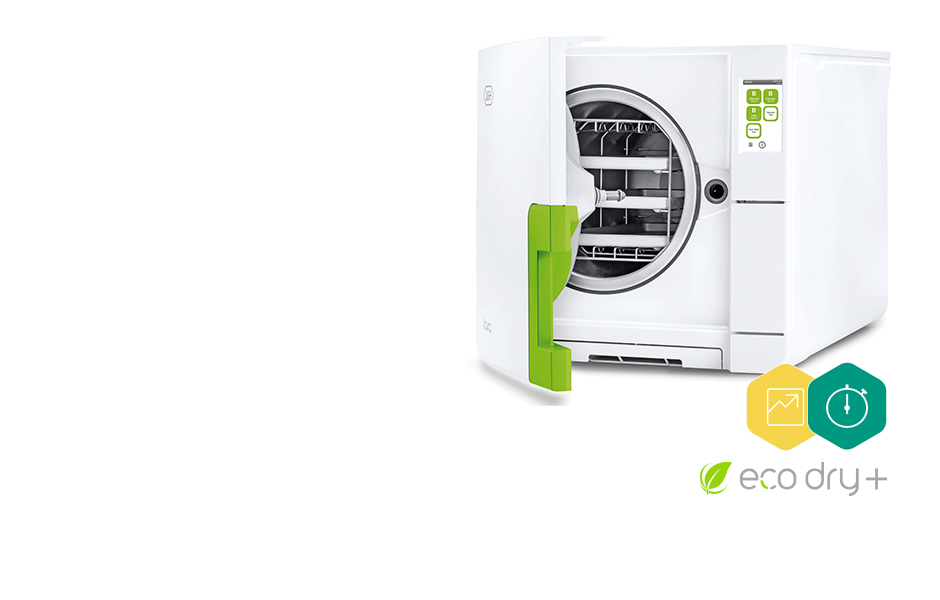
23分以内に再処理完了!
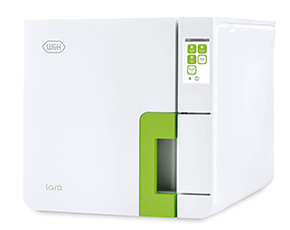

Laraオートクレーブ
リバーシブルラック、アルミニウムトレイ3枚、排水チューブ、トレイホルダー、
8 GB USB、ドア開放ツール、取扱説明書Lara 17
REF 19941120チャンバー容量17 L
Lara 22
REF 19942120チャンバー容量22 L
Download Area
FAQ
-
The sterilizer remains switched OFF.
POSSIBLE CAUSE
The main switch or network circuit breaker is OFF.
SOLUTION
Activate the main switch or network circuit breaker (ON).
POSSIBLE CAUSE
No voltage at the socket.
SOLUTION
Check the building electrical supply.
POSSIBLE CAUSE
The power cord is not connected properly.
SOLUTION
Check and connect the power cord properly. more -
Water is leaking at the front of the sterilizer.
POSSIBLE CAUSE
Leaks through the chamber door seal.
SOLUTION
Clean or replace the door seal. Clean the door surface facing the chamber.
POSSIBLE CAUSE
Internal leak.
SOLUTION
Contact an authorized W&H service partner. more -
Should I pouch/wrap my instruments and how long can I store them after sterilization?
To ensure that your instruments are stored in a sterile state from their successful sterilization until they are used, W&H recommends wrapping them in suitable sterile barrier systems before sterilization. The recommended storage period can be found in the recommendations of the wrapping material manufacturer. For further information, please contact your dealer. more
-
Which water quality should I use for my sterilizer?
The water quality for sterilizers is internationally specified by standards and directives. The reasons for this are that your sterilizer can be seriously damaged by it or the sterilization can be jeopardized. Consequently, only water with conductivity of less than 15 µS/cm should be used for your W&H sterilizer. The Water treatment devices is especially suited to preparing suitable water (see chapter “Water quality” in the Instructions for Use). more
-
How do I clean the water tanks and what products should I use?
Water tank cleaning instructions are provided in the Instructions for Use, chapter “Maintenance”. Information and videos relating to the cleaning of the water tanks and cleaning products can also be found on the Video Tutorial section of this web site. more
-
How do I change consumable components on my sterilizer?
Consumable replacement instructions are provided in the Instructions for Use, chapter “Maintenance”. In addition, a video description is available: • in the sterilizer, in the maintenance section of the menu (only for Lisa); • in the Consumables & Accessories and Video Tutorial section of this web site. more
-
Whom should I contact to validate and maintain my sterilizer?
Validation shall be carried out by an official authority. Maintenance tasks shall be carried out by a qualified and authorised technician. more
-
Do I need to carry out periodic testing on my W&H Sterilizer?
All W&H sterilizers features test cycles (B&D/Helix test, Vacuum test). Compulsory and frequency of testing are regulated by local/national guidelines. more
-
How long should I archive the documentation of regular tests?
Keep the results according to your country/regional specific laws and guidelines. Those records can be of assistance in case of service as well. more
-
Do I need to document the results of all periodic tests?
W&H recommends recording all periodic tests, repairs and modifications on the sterilizer in a logbook including date and signature of the person who carried out the test or other activity. Compulsories of recording is regulated by local/national guidelines. more
-
What is validation?
Validation is a testing procedure carried out by an official authority, proving the effectiveness of your sterilizer. Compulsories and frequency of validation are regulated by local/national guidelines. more
-
The cycle report printer does not work.
POSSIBLE CAUSE
Printer not properly connected or not powered.
SOLUTION
Check the data and power connection to the printer. more -
Warning about programmed maintenance.
POSSIBLE CAUSE
The maintenance program needs to be carried out.
SOLUTION
Contact an authorized W&H service partner. more -
Warning about saving to the USB (HTML and SCL files)
POSSIBLE CAUSE
The USB mass storage is disconnected or full.
SOLUTION
Check presence and condition of the USB pen drive. If the problem persist, contact an authorized W&H service partner. more -
The sterilization (PROCESS) phase of a sterilization cycle was longer than expected.
POSSIBLE CAUSE
The chamber temperature dropped below the minimum threshold and the software performed a successful recovery.
SOLUTION
Wait for cycle completion. If the problem occurs frequently, contact an authorized W&H service partner. more -
The sterilizer enters into “Standby mode” immediately after being switched on.
POSSIBLE CAUSE
The unit was turned off while in standby mode.
SOLUTION
Press the standby mode button to exit. more -
When starting a cycle, the chamber door locks but re-opens immediately. The “Open the door” message appears.
POSSIBLE CAUSE
Door seal not properly placed.
SOLUTION
Ensure that the door seal is correctly inserted around the whole circumference.
POSSIBLE CAUSE
Door jammed by external objects or by the load itself.
SOLUTION
Remove any objects interfering with the chamber door. Check for interference between the door and the chamber furniture and/or the load. more -
No cycles are stored in the cycle history menu.
POSSIBLE CAUSE
An electronic board was replaced when serviced.
SOLUTION
The memory of the old board can not be restored. Consult the cycle history in the USB pen drive. more -
Stains or spots on instruments.
POSSIBLE CAUSE
Instruments rinsed with tap water and not dried before sterilization.
SOLUTION
Ensure that instruments are rinsed with distilled or demineralized water and completely dry before they are placed in the sterilizer.
POSSIBLE CAUSE
Use of water of poor quality or water containing chemical substances.
SOLUTION
Drain both water tanks. Use good quality water (see chapter “Water quality” in the Instructions for Use).
POSSIBLE CAUSE
Organic or chemical residues on the instruments
SOLUTION
Clean, rinse and dry instruments before placing them in the sterilizer (see chapter “Load maintenance and preparation” in the Instructions for Use.
POSSIBLE CAUSE
Dirt in chamber, trays, tray rack.
SOLUTION
Clean the chamber and wash the chamber furniture.
POSSIBLE CAUSE
Contact between instruments of different materials.
SOLUTION
Ensure that instruments of different materials do not touch each other (aluminium, carbon or stainless steel, etc.); place them on different trays or cassettes or pouch them (see chapter “Load maintenance and preparation” in the Instructions for Use).
POSSIBLE CAUSE
Scale deposits on the chamber.
SOLUTION
Clean the chamber and use good quality water (see chapter “Water quality” in the Instructions for Use). more -
At the end of the cycle, there is residual water in the chamber.
POSSIBLE CAUSE
Sterilizer not properly levelled.
SOLUTION
Place the sterilizator on a flat, level surface.
POSSIBLE CAUSE
Overloaded chamber.
SOLUTION
Comply with the maximum load weight limits for each type of load. Always use the chamber rack for trays and cassettes.
POSSIBLE CAUSE
Chamber filter clogged.
SOLUTION
Remove and clean the chamber filter.
POSSIBLE CAUSE
Chamber filter cap mispositioned.
SOLUTION
Mount the chamber filter cap properly (see chapter “Monthly or 50-cycle maintenance - Cleaning the chamber filter” in the Instructions for Use).
POSSIBLE CAUSE
Load incorrectly placed.
SOLUTION
Follow the recommendations as listed in chapter “Load maintenance and preparation” in the Instructions for Use. more -
The sterilizer is connected to an automated water supply system, there is no clean water in the tank and the automatic water filling does not fill the water.
POSSIBLE CAUSE
Water filling system not connected.
SOLUTION
Connect the water filling system to the sterilizer. (see ANNEX 7 For water quality requirements see chapter “Water quality” in the Instructions For Use).
POSSIBLE CAUSE
When the water filling system attempted to fill the tank, water was temporarily unavailable.
SOLUTION
Since the water tank filling is attempted only once in-between cycle execution, this event inhibits water feeding. Switch the sterilizer OFF and then ON again.
Check the external water supply system.
Check for water leaks from the sterilizer.
POSSIBLE CAUSE
Faulty MIN water level sensor in the clean water tank.
SOLUTION
Contact an authorized W&H service partner. more -
Does my sterilizer need any periodic qualification/validation?
Validation generally comprises a range of tests defined in internationally recognised standards. These tests begin for every device with the factory tests at W&H. In addition, corresponding documentation is included with your device. Prior to commissioning the device at your premises, the technician performs further checks to ensure the device functions correctly. Then, depending on the national/regional laws and directives, the device must be subjected to a so-called renewed performance qualification at regular intervals. For further information, please contact your dealer. more
-
Warning about consumable replacement.
POSSIBLE CAUSE
A consumable needs to be replaced.
SOLUTION
Order the requested consumable (door seal, dust filter, bacteriological filter) and replace it. See the chapter “Maintenance” in the Instructions for Use. more -
What is the maximum noise level of the Lara sterilizer?
The max. noise level of Lara is 66.9 dB. more
取扱説明書
Find all languages of the Update Hygiene and Maintenance (EN ISO 17664:2017) in the Download Centre.
Downloads
Videos & Tutorials
-
Lara 滅菌サイクル
滅菌サイクル B-Universal 134 B-Prion 134 B-Universal 121 S FAST 134
(オプション)温度: 134 °C 134 °C 121 °C 134 °C 滅菌保持時間(分): 4 18.5 20.5 3.5 サイクル全体の時間(分)
乾燥時間含む:
Lara 17 自動25~5137 自動40~6552 41~73 20~22 Lara 22 自動28~5539 自動40~6854 42~76 20~22 Lara 17被滅菌物の量:Lara 22被滅菌物の量:固形4.5 kg以下/標準2 kg/多孔体1.5 kg以下固形5.5 kg以下/標準2 kg/多孔体2 kg以下未包装2 kg以下未包装2 kg以下Lara 17/22被滅菌物の量: 9 kg以下 9 kg以下 テストサイクル: Helix/Bowie Dick/真空試験
同梱物: リバーシブルラック、アルミニウムトレイ3枚、排水チューブ、トレイホルダー、8 GB USBドライブ、ドア開放ツール、取扱説明書
クラスBオートクレーブLara
モデル名: Lara タイプ: RIL-117 RIL-122 チャンバー容量: 17 L 22 L 電源: 200~240 V AC、50/60 Hz、10 A
消費電力: 2.0~2.4 kw 全体寸法
(幅 x 高さ x 奥行き):465 x 452 x 646 mm 重量: 42.5 kg 44 kg 給水タンク/排水タンク容量: 4.8/4.8 L 動作範囲: 7~15サイクル チャンバー内の有効スペース
(幅 x 高さ x 奥行き)¹ :195 x 195 x 312 mm 195 x 195 x 400 mm 接続タイプ: USBポート2ヵ所(オプションで5ヵ所まで可能)、一体型の自動給水弁 (1) 仕様可能なスペースは、標準ラックを使用した場合を記載しています。
Laraは極めて厳格な指令や規格に適合するよう設計され、その認証を受け、それらに準じて検証されています。 N°2017/745 Medical Device Regulation 2014/68/EU 圧力機器指令 EN 13060 小型蒸気滅菌器 IEC 61326-1 電磁両立性 IEC 61010-1 安全性要求
IEC 61010-2-040 蒸気滅菌器の特定要求
IEC 61770 給水管に接続した電気器具
2012/19/EU Waste Electrical and Electronic Equipment
EN ISO 17665-1に準じて滅菌器の検証を行うことができます。