W&H Headquarters - EN





-
Six steps to your customised sterilizer:
- Purchase the Activation Code of your choice from your local approved dental supplier.
- After receiving the related login code, go to activation.wh.com
- Specify this code along with the serial number and model of your sterilizer.
- Your individual, secure Activation Code is generated.
- Enter this code in the menu of your sterilizer.
- The feature is available.
Appropriate accessories
EliReel
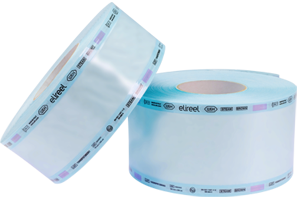
W&H‘s sterilization reels ensure excellent drying quality, resistance and an easy-to-read steam indicator. These features simplify both the sealing and sterilization processes and also improve safety in the clinic.
More Info!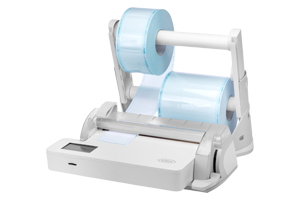
Seal2 and SealVal2
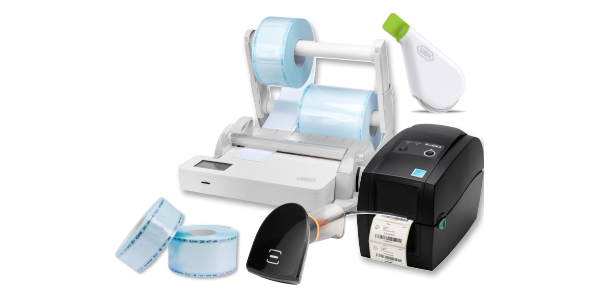
The W&H sealer creates a 12 mm wide seal in just two seconds without the risk of burning the sterilization package. The absolute hermetic and strong protection of the sterile goods from environmental influences guarantees continuing sterility. More Info!
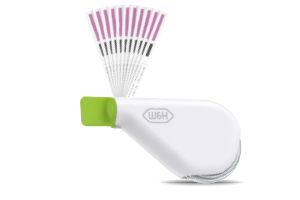
Helix Test
The Helix test ensures optimum process control for type B sterilizers. The QR code on the test strips enables full traceability and easy use with eLog, the digital logbook.
More Info!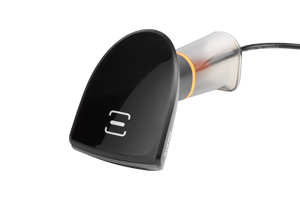
Barcode scanner
This enables you to scan labels into patient files.
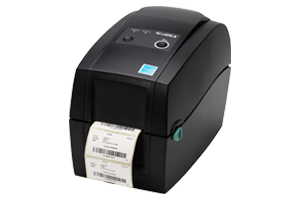
Barcode label printer
The label printer can be connected to the sterilizer to print barcodes. In combination with the integrated data logger, it improves your traceability system. The label printer is a quick and easy tool to link the sterilization cycle with patient files.
More Info!
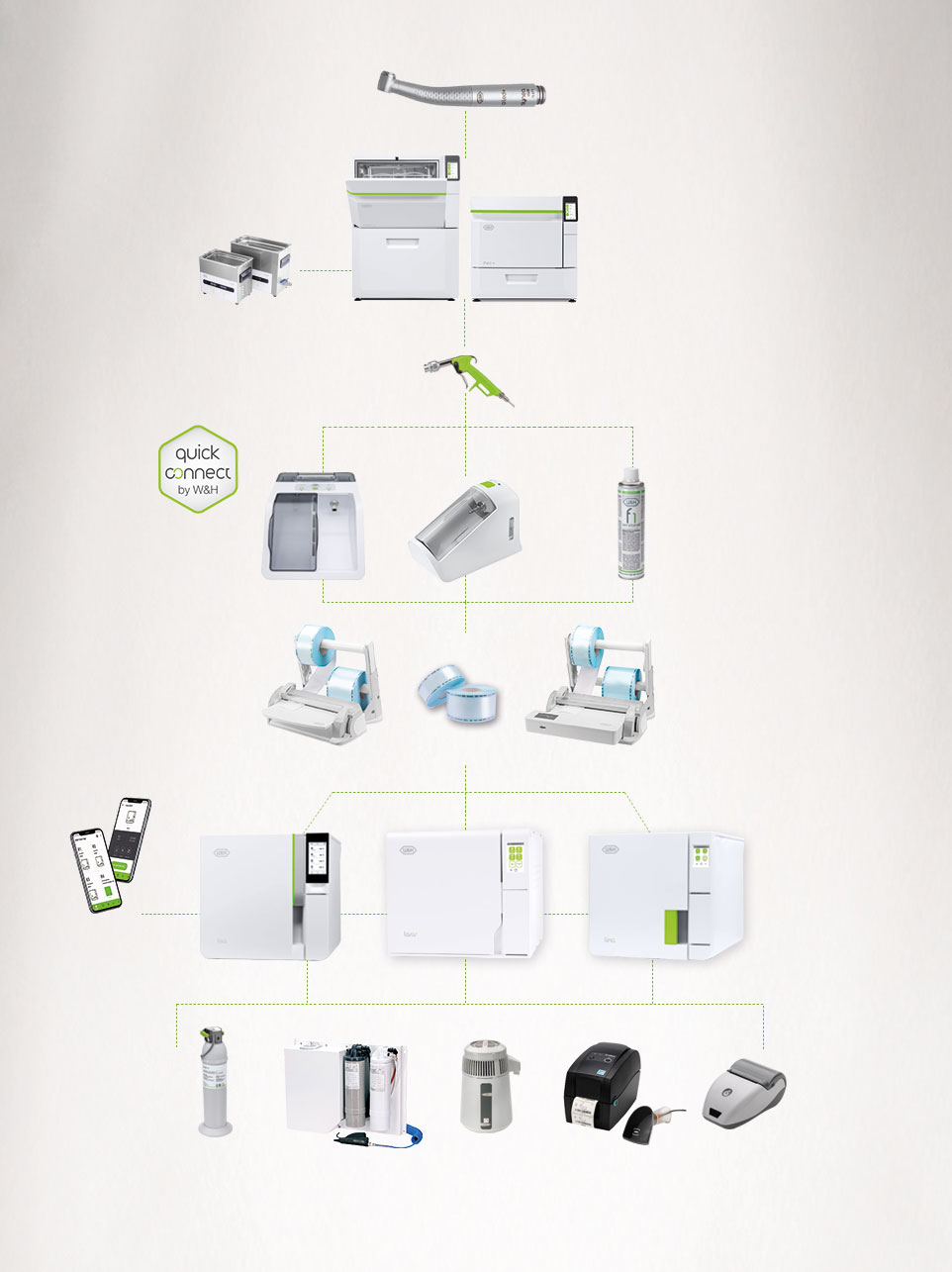
W&H AIMS hygiene workflow
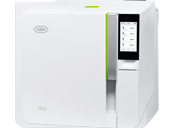
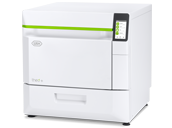
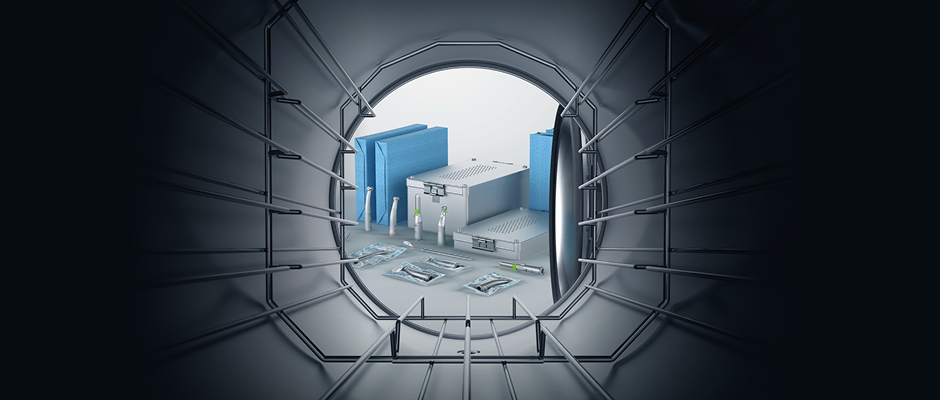
Sterilization, hygiene, and maintenance are increasingly important in the dental practice. The new Lara XXL sterilizer is an optimally matching part of W&H´s wide range of products for the safe reprocessing of instruments, contra-angle and turbine handpieces according to the recommended, holistic W&H AIMS hygiene workflow.
W&H AIMS
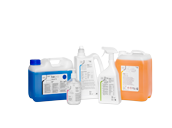
Product & consumables
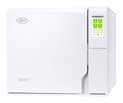
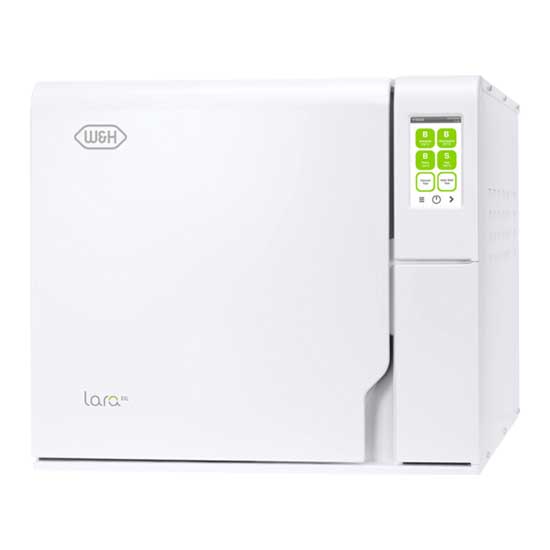

Lara XXL sterilizer
supplied with rack, 6 aluminium trays, drain hose, tray holder, 8 GB USB stick, door opening tool, factory test
Lara XXL RIS-338 (220 V)
REF 19936110Chamber size 38 litre
Download Area
FAQ
-
How do I clean the water tanks and what products should I use?
Water tank cleaning instructions are provided in the Instructions for Use, chapter “Maintenance”. In addition, a video description is available: • in the sterilizer, in the maintenance section of the menu; • in the Consumables & Accessories and Video Tutorial section of this website. more
-
Warning about programmed maintenance.
POSSIBLE CAUSE
The maintenance program needs to be carried out.
SOLUTION
Contact an authorised W&H service partner. more -
The sterilization (PROCESS) phase of a sterilization cycle was longer than expected.
POSSIBLE CAUSE
The chamber temperature dropped below the minimum threshold and the software performed a successful recovery.
SOLUTION
Wait for cycle completion. If the problem occurs frequently, contact an authorised W&H service partner. more -
The sterilizer enters into “Standby mode” immediately after being switched on.
POSSIBLE CAUSE
The unit was turned off while in standby mode.
SOLUTION
Press the standby mode button to exit. more -
When starting a cycle, the chamber door locks but re-opens immediately. The “Open the door” message appears.
POSSIBLE CAUSE
Door seal not properly placed.
SOLUTION
Ensure that the door seal is correctly inserted around the whole circumference.
POSSIBLE CAUSE
Door jammed by external objects or by the load itself.
SOLUTION
Remove any objects interfering with the chamber door. Check for interference between the door and the chamber furniture and/or the load. more -
No cycles are stored in the cycle history menu.
POSSIBLE CAUSE
An electronic board was replaced when serviced.
SOLUTION
The memory of the old board can not be restored. Consult the cycle history in the USB pen drive. more -
Stains, spots, or colour change on instruments.
POSSIBLE CAUSE
Instruments rinsed with tap water and not dried before sterilization.
SOLUTION
Ensure that instruments are rinsed with distilled or demineralized water and completely dry before they are placed in the sterilizer.
POSSIBLE CAUSE
Use of water of poor quality or water containing chemical substances.
SOLUTION
Drain both water tanks. Use good quality water (see chapter “Water quality” in the Instructions for Use).
POSSIBLE CAUSE
Organic or chemical residues on the instruments
SOLUTION
Clean, rinse, and dry instruments before placing them in the sterilizer (see chapter “Load maintenance and preparation” in the Instructions for Use.
POSSIBLE CAUSE
Dirt in chamber, trays, tray rack.
SOLUTION
Clean the chamber and wash the chamber furniture.
POSSIBLE CAUSE
Contact between instruments of different materials.
SOLUTION
Ensure that instruments of different materials do not touch each other (aluminium, carbon or stainless steel, etc.); place them on different trays or cassettes or pouch them (see chapter “Load maintenance and preparation” in the Instructions for Use).
POSSIBLE CAUSE
Scale deposits on the chamber.
SOLUTION
Clean the chamber and use good quality water (see chapter “Water quality” in the Instructions for Use). more -
At the end of the cycle, there is residual water on load.
POSSIBLE CAUSE
Sterilizer not properly levelled.
SOLUTION
Place the sterilizator on a flat, level surface.
POSSIBLE CAUSE
Overloaded chamber.
SOLUTION
Comply with the maximum load weight limits for each type of load. Always use the chamber rack for trays and cassettes.
POSSIBLE CAUSE
Chamber filter clogged.
SOLUTION
Remove and clean the chamber filters.
POSSIBLE CAUSE
Chamber filter cap mispositioned.
SOLUTION
Mount the chamber filter cap properly (see chapter “Monthly or 50-cycle maintenance - Cleaning the chamber filter” in the Instructions for Use).
POSSIBLE CAUSE
Load incorrectly placed.
SOLUTION
Follow the recommendations as listed in chapter “Load maintenance and preparation” in the Instructions for Use. more -
Water is leaking at the front of the sterilizer.
POSSIBLE CAUSE
Leaks through the chamber door seal.
SOLUTION
Clean or replace the door seal. Clean the door surface facing the chamber.
POSSIBLE CAUSE
Internal leak.
SOLUTION
Contact an authorised W&H service partner. more -
The sterilizer remains switched OFF.
POSSIBLE CAUSE
The main switch or network circuit breaker is OFF.
SOLUTION
Activate the main switch or network circuit breaker (ON).
POSSIBLE CAUSE
No voltage at the socket.
SOLUTION
Check the building electrical supply.
POSSIBLE CAUSE
The power cord is not connected properly.
SOLUTION
Check and connect the power cord properly. more -
Should I pouch/wrap my instruments and how long can I store them after sterilization?
To ensure that your instruments are stored in a sterile state from their successful sterilization until they are used, W&H recommends wrapping them in suitable sterile barrier systems before sterilization. The recommended storage period can be found in the recommendations of the wrapping material manufacturer. For further information, please contact your dealer. more
-
Who should I contact to validate and maintain my sterilizer?
Validation shall be carried out by an official authority. Maintenance tasks shall be carried out by a qualified and authorised technician. more
-
Does my sterilizer need any periodic qualification/validation?
Validation generally comprises a range of tests defined in internationally recognised standards. These tests begin for every device with the factory tests at W&H. In addition, corresponding documentation is included with your device. Prior to commissioning the device at your premises, the technician performs further checks to ensure the device functions correctly. Then, depending on the national/regional laws and directives, the device must be subjected to a so-called renewed performance qualification at regular intervals. For further information, please contact your dealer. more
-
How long should I archive the documentation of regular tests?
Keep the results according to your country/regional specific laws and guidelines. Those records can be of assistance in case of service as well. more
-
Do I need to document the results of all periodic tests?
W&H recommends recording all periodic tests, repairs, and modifications on the sterilizer in a logbook including date and signature of the person who carried out the test or other activity. Compulsorily of recording is regulated by local/national guidelines. more
-
What is validation?
Validation is a testing procedure carried out by an official authority, proving the effectiveness of your sterilizer. Compulsories and frequency of validation are regulated by local/national guidelines. more
-
Warning about consumable replacement.
POSSIBLE CAUSE
A consumable needs to be replaced.
SOLUTION
Order the requested consumable (door seal and HEPA/bacteriological filter) and replace it. See the chapter “Maintenance” in the Instructions for Use. more -
The sterilizer is connected to an automated water supply system, there is no clean water in the tank and the automatic water filling does not fill the water.
POSSIBLE CAUSE
Water filling system not connected.
SOLUTION
Connect the water filling system to the sterilizer. (see Instructions for Use).
POSSIBLE CAUSE
When the water filling system attempted to fill the tank, water was temporarily unavailable.
SOLUTION
Since the water tank filling is attempted only once in-between cycle execution, this event inhibits water feeding. Switch the sterilizer OFF and then ON again.
Check the external water supply system.
Check for water leaks from the sterilizer.
POSSIBLE CAUSE
Faulty MIN water level sensor in the clean water tank.
SOLUTION
Contact an authorised W&H service partner. more -
The cycle report printer does not work.
POSSIBLE CAUSE
Printer not properly connected or not powered.
SOLUTION
Check the data and power connection to the printer. more -
Warning about saving to the USB (HTML and SCL files)
POSSIBLE CAUSE
The USB drive is disconnected or full.
SOLUTION
Check presence and condition of the USB drive. If the problem persists, contact an authorised W&H service partner. more -
Do I need to carry out periodic testing on my W&H sterilizer?
All W&H sterilizers feature test cycles (B&D/Helix test, Vacuum test). Compulsory and frequency of testing are regulated by local/national guidelines. more
-
Which water quality should I use for my sterilizer?
The water quality for sterilizers is internationally specified by standards and directives. The reasons for this are that your sterilizer can be seriously damaged by it or the sterilization can be jeopardised. Consequently, only water with conductivity of less than 10 µS/cm in North America and 15 µS/cm for the rest of the world should be used for your W&H sterilizer. The Water treatment devices Multidem and Osmo are especially designed to prepare suitable water (see chapter “Water quality” in the Instructions for Use). more
-
At the end of the cycle, there is residual water on load.
POSSIBLE CAUSE Sterilizer not properly levelled. SOLUTION Place the sterilizer on a flat, levelled surface. POSSIBLE CAUSE Overloaded chamber. SOLUTION Comply with the maximum load weight limits for each type of load. Always use the chamber rack for trays and cassettes. POSSIBLE CAUSE Chamber filters clogged. SOLUTION Remove and clean the chamber filters. POSSIBLE CAUSE Load incorrectly placed. SOLUTION Follow the recommendations as listed in chapter “Load maintenance and preparation” in the Instructions for Use. more
-
What is the maximum noise level of the Lara XXL sterilizer?
The max. noise level of Lara XXL is 70 dB. more
-
How do I change consumable components on my sterilizer?
Consumable replacement instructions are provided in the Instructions for Use, chapter “Maintenance”. In addition, a video description is available: • in the sterilizer, in the maintenance section of the menu; • in the Consumables & Accessories and Video Tutorial section of this website. more
Instructions for use
Find all languages of the Update Hygiene and Maintenance (EN ISO 17664:2017) in the Download Centre.
Videos & Tutorials
-
Lara XXL sterilization cycle
Sterilization cycle: B Universal 134 B Prion 134 B Universal 121 S Fast 134
(optional)Temperature: 134°C 134°C 121°C 134°C Holding time (minutes): 5' 30" 20' 30" 20' 30" 3' 30" Total cycle duration
(minutes)
including drying:Automatic from Typical load Automatic from Typical load Automatic from Typical load Automatic
from32'–71' 42' 30" 47'–86' 57' 30" 47'–90' 60' 20'–28' Load type: All types of load (1) Solid items, Simple hollow items (Hollow B), Specific load: dental load, medical load (2) and handpieces Max. load: Instruments: 10 kg/porous: 3 kg/containers: 12 kg Instruments: 3 kg Test cycles: Helix/Bowie and Dick/Vacuum Item supplied with rack, 6 aluminium trays, drain hose, tray holder, 8 GB USB stick, door opening tool, factory test (1) Excluded liquid
(2) Dental load according to ISO 17665-3; for medical load is intended to load up to grade 7 steam penetration according to ISO 17665-3Lara XXL
Trade name:
Type:Lara XXL
RIS-338Chamber size: 38 l Power supply: 200–240 V AC; 50/60 Hz; 12 A single phase Power consumption: 2.4–2.88 kW Overall dimension (w × h × d): 492 mm × 455 mm × 797 mm Weight (empty): 61 kg Main/used water tanks: 4.8 l/5.1 l Working range: 5 to 10 cycles Usable space in chamber (w × h × d): (3) 230 × 230 × 560 mm Connection types: 5 USB ports, 1 Ethernet port, automatic water filling kit (3) Usable space is referred to standard rack configuration.
Lara XXL sterilizers were designed, certified and validated with the most stringent directives and standards: 2017/745
Medical Device RegulationIEC 61326-1
Electromagnetic compatibilityIEC 61770
Electric appliances connected to the water mains2019/19/EU
Waste Electrical and Electronic EquipmentIEC 61010-1
Safety requirementsEN 13060
Small steam sterilizers2014/68/EU
Pressure Equipment DirectiveIEC 61010-2-040
Specific requirements for steam sterilizer> The sterilizer can be validated according
to EN ISO 17665-1